

How to get pictures into your iPad?
So you want to use your iPad to recreate a course map via a picture, but the iPad doesn't have a camera. There are several easy ways to get a picture into the iPad.
- Email the picture to yourself, then save it to your Photos on the iPad
- Drag photo into iTunes and sync your iPad
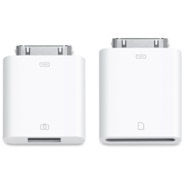
- Use the Apple Camera Connection Kit to transfer the pictures from your iPhone or camera to the iPad.
Once the picture is saved to your Photos you are all set.
Recent comments
1 year 35 weeks ago
1 year 35 weeks ago
1 year 36 weeks ago
1 year 36 weeks ago
1 year 40 weeks ago
1 year 40 weeks ago
1 year 41 weeks ago
1 year 44 weeks ago
1 year 46 weeks ago
1 year 46 weeks ago